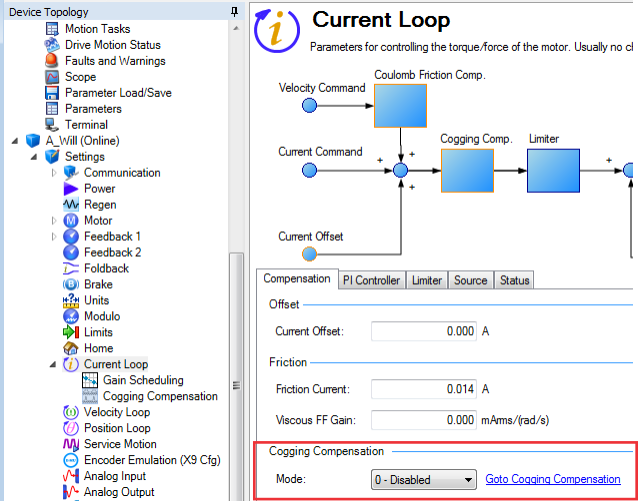
Cogging compensation can be used to counteract cogging effects present in the motor by supplying an additional feedforward current. The result is a reduction of velocity ripple, mainly at lower velocities.
This is especially useful for applications with a high demand for synchronism.
The AKD uses a cogging compensation table that stores the feedforward values to apply depending on the motors position. The table consists of 8192 entries that are evenly distributed over one revolution (rotary axis) or a range that can be specified by the user (linear axis).
The drive can also automatically detect cogging effects and generate a fitting compensation table.
Cogging compensation can be enabled and disabled in the Compensation tab of WorkBench’s Current Loop view (see below) or using the keyword COGCOMP.EN. Enabling cogging compensation or booting the drive with Cogging compensation saved as enabled and using a non-absolute feedback while not being homed will display a warning and not apply compensation values. To clear the warning, either execute a homing procedure or deactivate Cogging compensation. If the warning is cleared by a successful homing procedure, the compensation values will be applied again.
The cogging compensation view can be accessed by expanding the Current Loop item in WorkBench’s Device Topology list and selecting Cogging Compensation or by following the Goto Cogging Compensation Link in the Compensation tab of WorkBench’s Current Loop view.
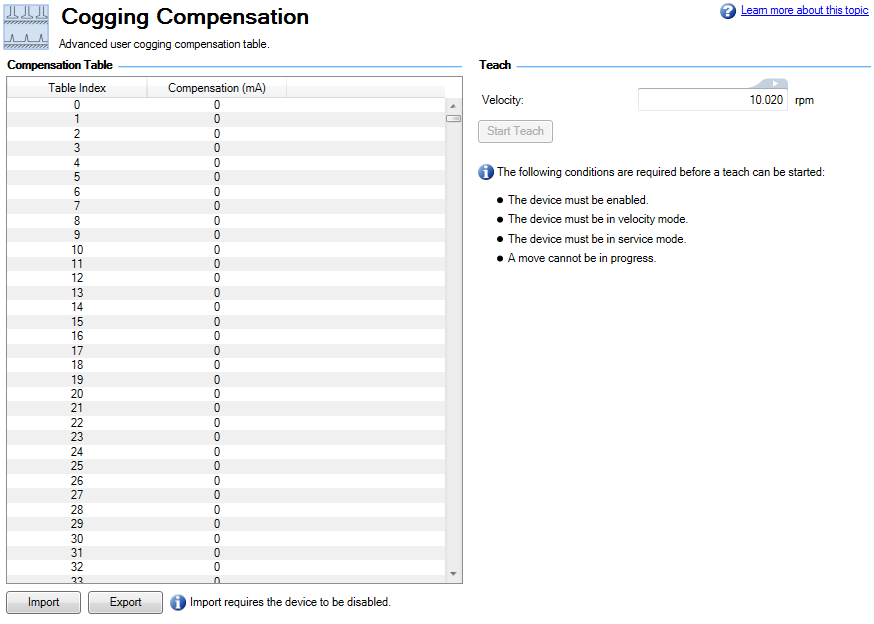
The compensation table is displayed on the left. On the bottom there are buttons for importing and exporting the table from/to a csv file. Importing only works while the drive is disabled.
Controls for automatic teaching of the compensation table are displayed on the right.
The Start Teach button, or the command COGCOMP.TEACH, can be used to let the drive automatically detect cogging effects present and generate a compensation table.
The following prerequisites have to be met before starting:
The current position and the Velocity set in COGCOMP.V have to allow the motor to completely move through the range.
When all prerequisites are met and the teaching is started the motor will move at the specified speed until it has either moved approximately 2 revolutions using a rotary motor, or moved through the whole specified range using a linear motor. If cogging compensation was enabled, it will automatically be disabled.
If the teaching was started using the button in the Cogging Compensation view, the table will be saved to non-volatile memory and be restored after power cycling the drive. Otherwise, the table can be saved manually using COGCOMP.SAVE.
Should the motion during the teaching be stopped, either by the user or by the drive (e.g. by activating a limit switch), the teaching will be aborted, all correction values will be set to zero, and a warning will be displayed.
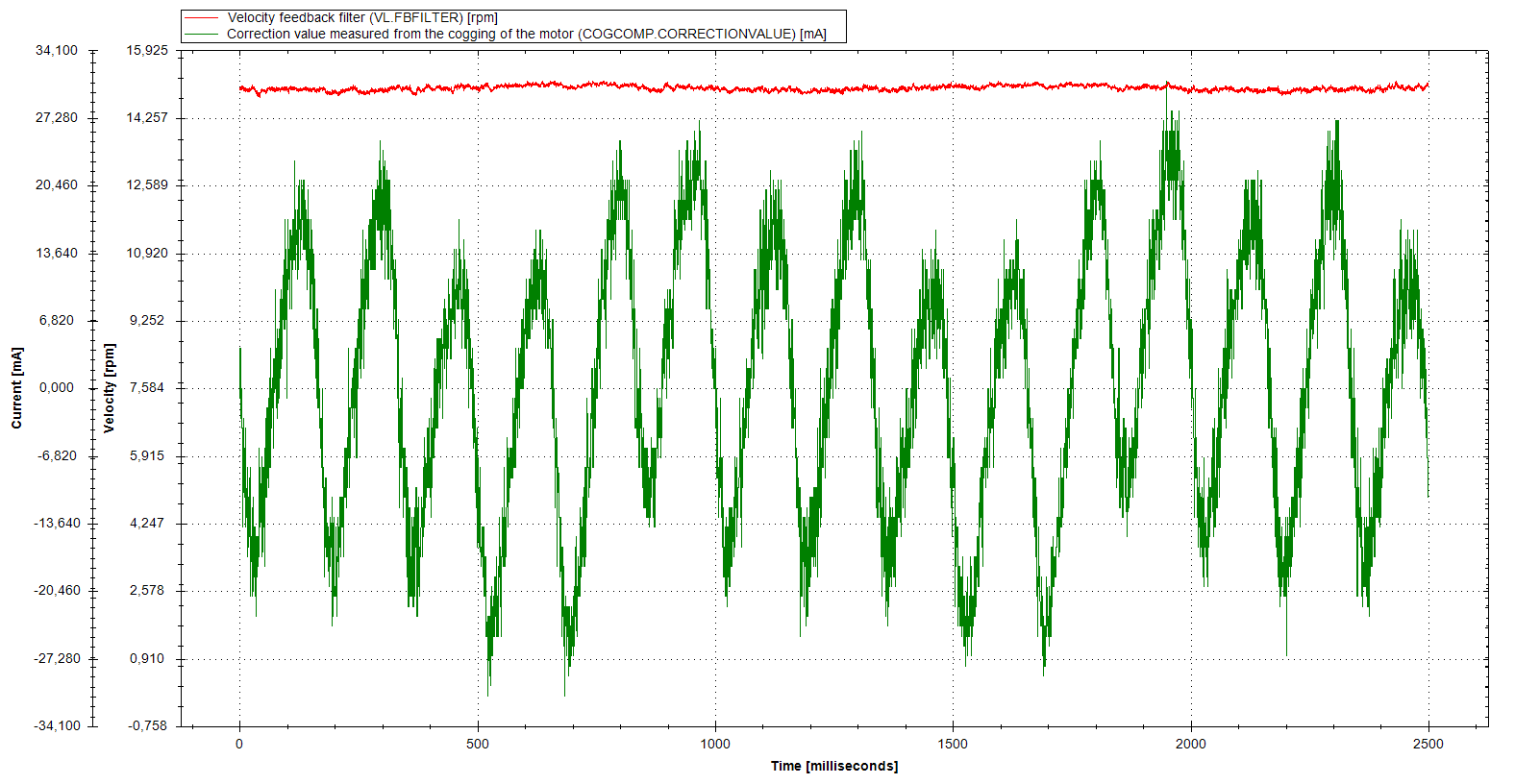
To validate the effect of cogging compensation, COGCOMP.CORRECTIONVALUE can be recorded in a scope. It shows the feedforward value that is currently applied to compensate cogging.
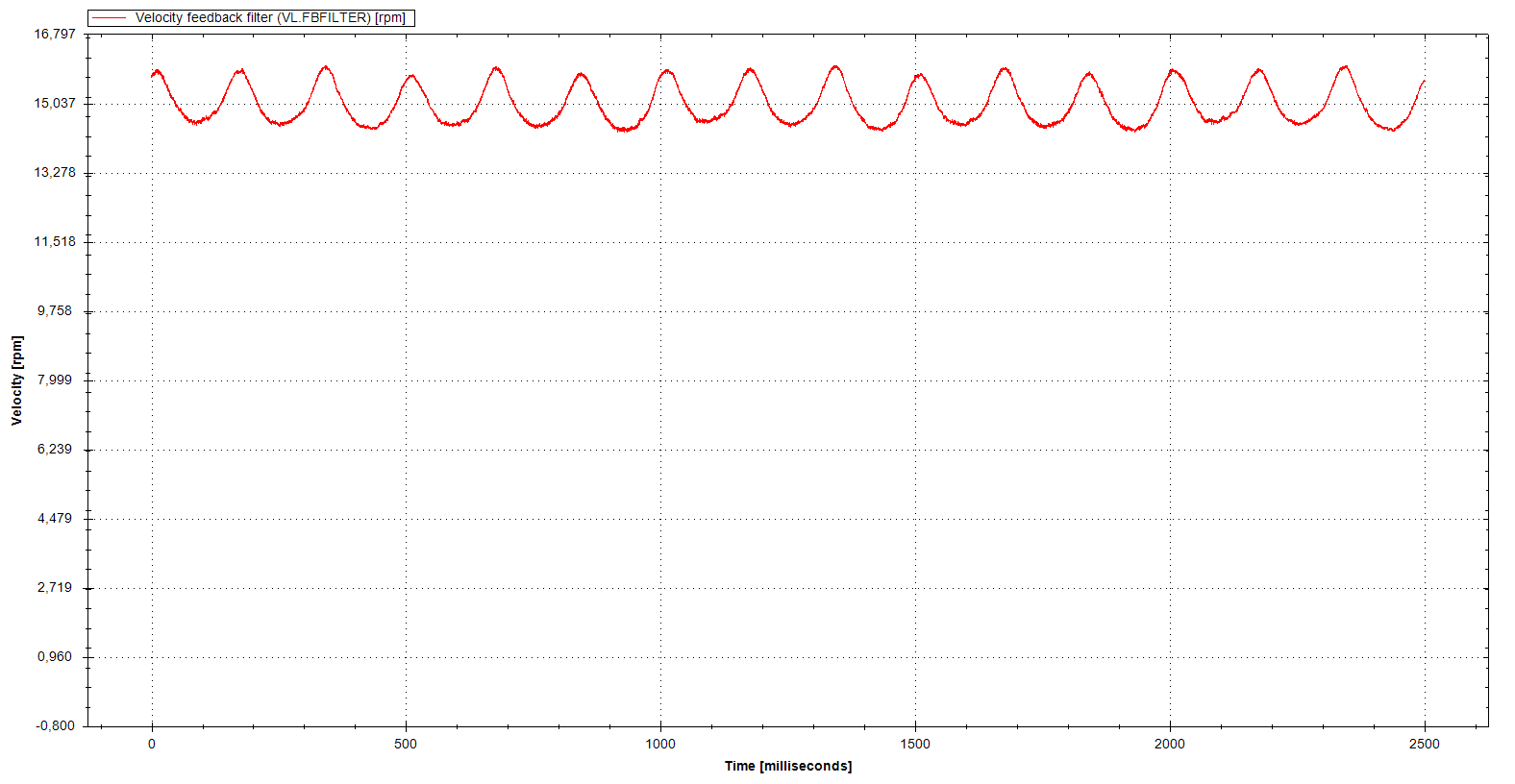
The following two images show the effect on the velocity in two scopes, the first without compensation and the second with compensation enabled and COGCOMP.CORRECTIONVALUE scoped in addition to the velocity. The same motor and tuning was used and the same motion of constant 15 RPM"Revolutions per minute" Is a unit of frequency of rotation: the number of full rotations completed in one minute around a fixed axis. It is used as a measure of rotational speed of a mechanical component was commanded. The cogging compensation table used was created using automatic teaching.
Cogging compensation disabled:
Cogging compensation enabled:
|
Stay Connected with Kollmorgen       
|
Copyright © 2015 Kollmorgen™ |

|